MEPCO New Connection 2026 – Apply Online, Charges, Documents & Complete Procedure
Getting an MEPCO new connection is now easier than ever in 2026. Whether you’re building a new home, opening a shop, or moving to a different location, you can apply through a simple online or offline process.
This complete guide covers application steps, required documents, connection charges, estimated timelines, and tracking methods. You can also use our MEPCO Bill service to check your electricity bills and the MEPCO Bill Calculator to estimate your monthly electricity costs before applying for a new connection.
Apply for New Connection Online (2026)
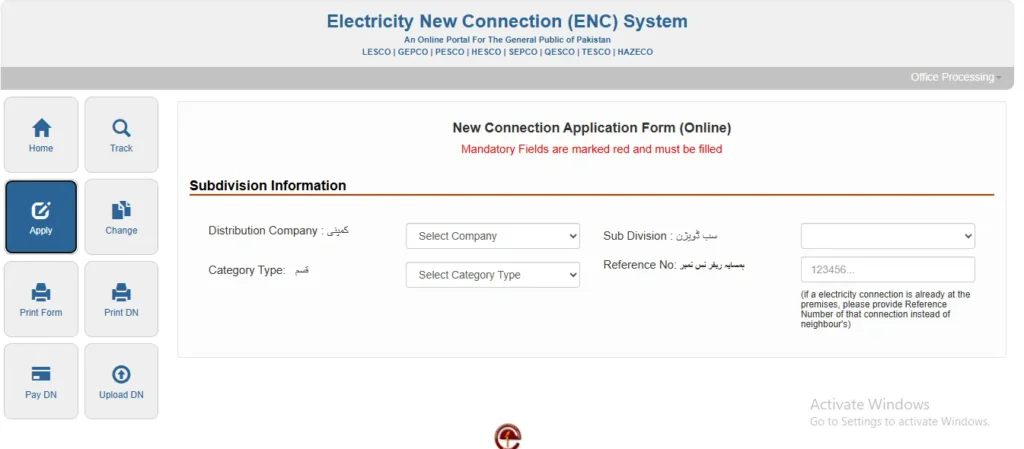
You can apply through the official ENC (Electricity New Connection) system managed by Power Information Technology Company.
Steps to Apply Online:
- Open the ENC portal
- Click “Apply New Connection.”
- Select MEPCO as your company
- Enter:
- CNIC number
- Full name
- Mobile number
- Add connection address
- Upload required documents
- Submit the form
After submission, you will receive a Tracking ID via SMS/email.
Required Documents for MEPCO New Connection
Applying for a new MEPCO electricity connection requires submitting a few essential documents to verify the applicant’s identity, property ownership, and installation details. Providing complete and accurate documents helps avoid delays during the application process and speeds up connection approval. Below is a list of the required documents that applicants must submit when applying for a new MEPCO connection.
Prepare these documents before applying:
- Ownership Proof (Registry / Allotment Letter / Sale Deed)
- CNIC Copy (Attested)
- Sworn Affidavit / Undertaking
- No Objection Certificate (NOC) (if tenant)
- Power of Attorney (if multiple owners)
- Neighbor Electricity Bill (for location verification)
- Wiring Test Report (after demand notice)
- Proof of No Dues (if previous connection exists)
For Industrial / Commercial Applicants:
- Company Registration Certificate
- Board of Directors CNIC copies
- Form-29 & Company NOC
- Site Map
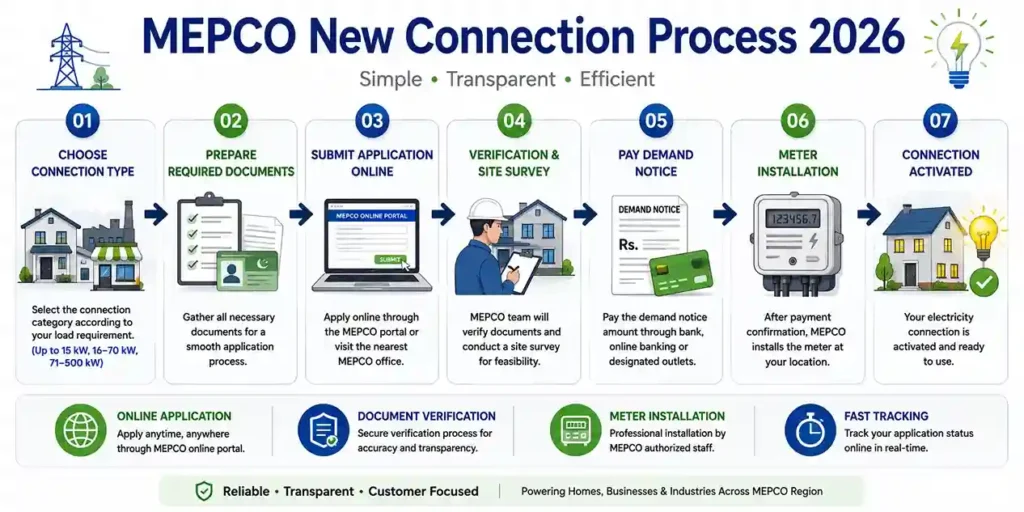
MEPCO New Connection Procedure (Step-by-Step)
Here’s the complete process:
- Submit application (online/offline)
- Get Tracking ID / Receipt
- Site inspection by the MEPCO officer
- Cost estimation generated
- Demand Notice issued
- Pay the demand notice at the bank
- Submit a paid receipt
- Submit wiring test report
- Application enters priority list
- Meter & materials arranged
- Final installation of the connection
MEPCO New Connection Charges 2026
Charges depend on connection type, load, and meter.
Estimated Cost (Single-Phase Example)
| Item | Amount (PKR) |
| AMR Meter | 20,000 |
| Installation Charges | 1,600 |
| PVC Cable | 1,400 |
| Store Charges | 168 |
| Additional Installation | 126 |
| Total Estimated Cost | ~3,294 + Meter Cost |
Total Demand Notice Fee (Domestic) ≈ 20,000 PKR
Types of MEPCO Connections (By Load)
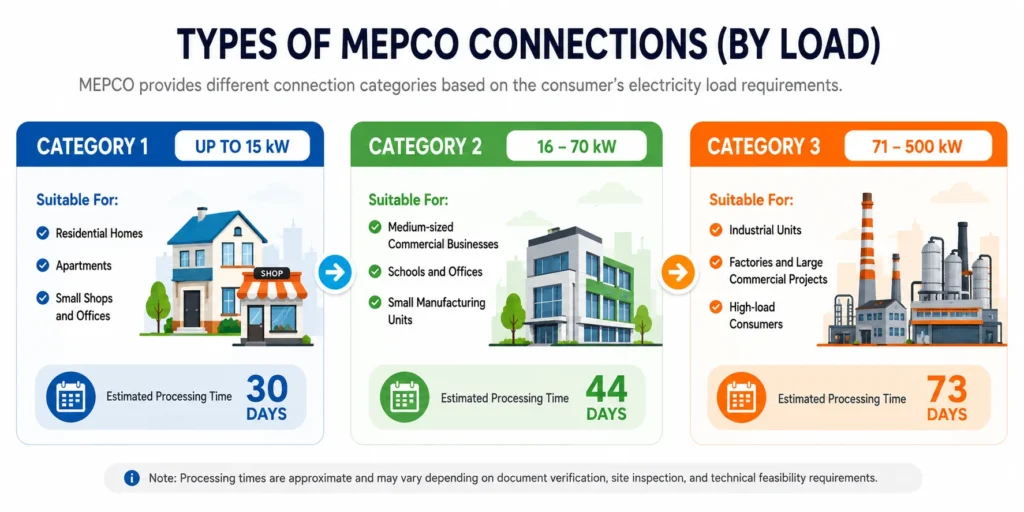
MEPCO provides different connection categories based on the consumer’s electricity load requirements. The connection type determines the approval process, installation requirements, and estimated processing time.
Category 1 (Up to 15 kW)
- Suitable For:
- Residential homes
- Apartments
- Small shops and offices
Estimated Processing Time: 30 Days
Category 2 (16–70 kW)
Suitable For:
- Medium-sized commercial businesses
- Schools and offices
- Small manufacturing units
Estimated Processing Time: 44 Days
Category 3 (71–500 kW)
Suitable For:
- Industrial units
- Factories and large commercial projects
- High-load consumers
Estimated Processing Time: 73 Days
Processing times are approximate and may vary depending on document verification, site inspection, and technical feasibility requirements
Estimated Timeline for MEPCO New Connection
| Step | Time |
| Application Submission | 1 Day |
| Site Survey | 3 Days |
| Cost Estimation | 2 Days |
| Demand Notice Issue | 2 Days |
| Fee Payment | 2 Days |
| Wiring Test Verification | 3 Days |
| Approval & Priority List | 1–3 Days |
| Material Issuance | 5 Days |
| Meter Installation | 5 Days |
| Total Time | ~30 Days |
How to Track MEPCO New Connection Status
You can track your application easily:
- Visit the ENC portal
- Enter Tracking ID + CNIC
- View current status
OR
📞 Call Helpline: 0800-63726
Download MEPCO New Connection Form (Offline Application)
If you prefer to apply offline instead of using the online ENC portal, you can download the MEPCO New Connection Form in PDF format, complete it manually, and submit it to your nearest MEPCO office along with the required supporting documents. This option is suitable for applicants who prefer in-person assistance during the application process.
If you prefer manual application:
- Download and print the MEPCO New Connection Form (PDF).
- Fill in all required personal, property, and connection details.
- Attach the required documents, including CNIC copy, ownership proof, and supporting records.
- Submit the completed application package to the relevant MEPCO subdivision office.
- Receive an acknowledgment receipt and wait for document verification and further processing.
Important Tips (Most People Miss This)
- Always clear previous dues before applying
- Use the correct CNIC & mobile number
- Upload clear scanned documents
- Ensure a certified electrician does the wiring
- Keep copies of all submitted documents
- Track the application regularly to avoid delays
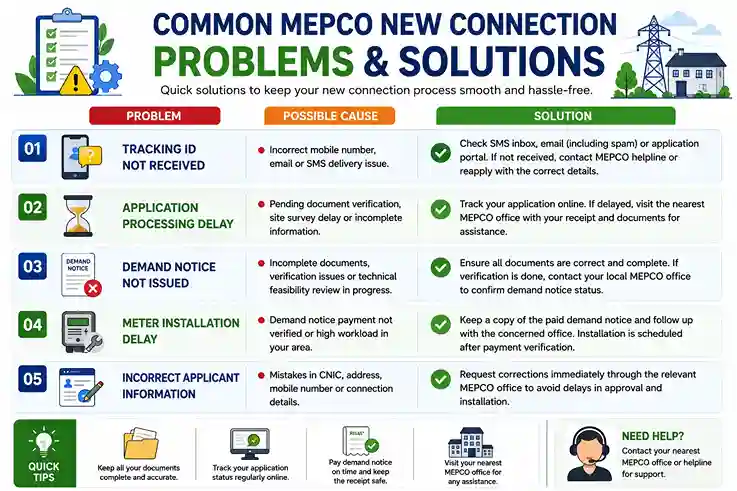
Common MEPCO New Connection Problems & Solutions
While applying for a new MEPCO connection, applicants may occasionally face issues such as processing delays, missing tracking information, or pending demand notices. Most of these problems can be resolved quickly by verifying documents, checking application details, or contacting the relevant MEPCO office. Below are some common issues and their recommended solutions to help ensure a smooth connection process.
Tracking ID Not Received
Possible Cause: Incorrect mobile number, email address, or SMS delivery issue.
Solution:
Check your SMS inbox, email (including spam folder), and application confirmation page. If you still cannot find the tracking ID, contact MEPCO support or submit a new application using the correct contact details.
Application Processing Delay
Possible Cause: Pending document verification, site survey delays, or incomplete information.
Solution:
Track your application status online. If the application remains pending for an extended period, visit the nearest MEPCO office with your application receipt and supporting documents for assistance.
Demand Notice Not Issued
Possible Cause: Missing documents, verification issues, or a technical feasibility review in progress.
Solution:
Ensure all required documents have been submitted correctly. If verification has already been completed, contact your local MEPCO office to confirm the status of your demand notice.
Meter Installation Delay
Possible Cause: Demand notice payment not verified, or installation workload in your area.
Solution:
Keep a copy of the paid demand notice and follow up with the concerned MEPCO office. Meter installation is usually scheduled after payment verification.
Incorrect Applicant Information
Possible Cause: Mistakes in CNIC, address, mobile number, or connection details.
Solution:
Request corrections as soon as possible through the relevant MEPCO office to avoid delays in approval and installation.
FAQs – MEPCO New Connection
Final Words
Applying for a MEPCO new connection in 2026 is a simple and convenient process when you follow the correct procedure and submit all required documents accurately. From application submission and document verification to demand notice payment and meter installation, each step plays an important role in ensuring a smooth approval process.
To avoid unnecessary delays, make sure your information is correct, your documents are complete, and your application status is tracked regularly. Following the guidelines in this guide can help you get your new electricity connection faster and with fewer complications.
For additional electricity-related services, you can also use our MEPCO Bill page to check your latest bill online and our MEPCO Bill Calculator to estimate your monthly electricity costs and better manage your energy expenses.