MEPCO Bill Payment Methods 2026 – Online, Offline & Mobile Payment Guide
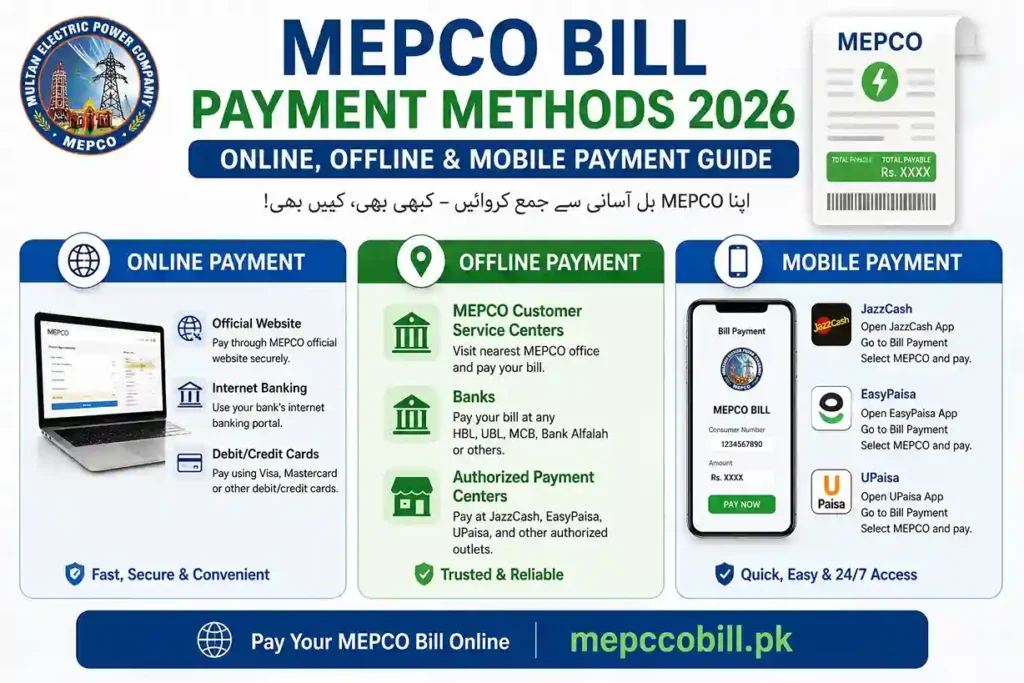
MEPCO bill payment is now easier and more convenient than ever. Whether you prefer online banking, mobile wallets, banking apps, ATMs, or traditional payment methods, MEPCO offers multiple secure ways to pay your electricity bill.
In this guide, you’ll learn about all MEPCO bill payment methods available in 2026, including online, offline, and mobile payment options, so you can choose the fastest, safest, and most convenient way to pay your electricity bill on time.
MEPCO Bill Payment Methods (All Options)
MEPCO bill payment consumers can pay their electricity bills through several convenient payment channels. Depending on your preference, you can choose either online or offline payment methods.
You can pay your MEPCO bill using:
- Mobile wallets (JazzCash and Easypaisa)
- Mobile banking apps
- Internet banking services
- ATMs
- Bank branches
- Pakistan Post Offices
- NADRA e-Sahulat centers
- Authorized bill collection points
These payment options make it easy to pay your bill securely and on time without visiting a MEPCO office.
Pay MEPCO Bill Online (Recommended)
Online payment is the fastest and most convenient method.
Pay via JazzCash
Steps:
- Open the JazzCash app
- Go to “Bill Payments”
- Select Electricity → MEPCO
- Enter Reference Number
- Confirm payment
Pay via Easypaisa
Steps:
- Open the Easypaisa app
- Tap “Bill Payment”
- Select MEPCO
- Enter the bill reference number
- Pay instantly
Pay via Banking Apps
You can use apps:
- HBL
- UBL
- MCB Bank
- Allied Bank
Steps:
- Log in to the bank app
- Go to Bill Payments
- Select Electricity → MEPCO
- Enter reference number
- Pay bill
Pay MEPCO Bill via ATM
Steps:
- Insert the ATM card
- Select Bill Payment
- Choose Electricity → MEPCO
- Enter reference number
- Confirm payment
MEPCO Bill payment via Internet Banking
- Log in to your bank website
- Select the bill payment section
- Enter reference number
- Confirm payment
Offline Mepco Bill Payment Methods
1. Bank Branches
Visit any bank and pay your bill at the counter.
2. Post Office
You can also pay at the nearest Pakistan Post Office.
Required Details for Payment
To pay your bill, you only need the following:
- 14-digit Reference Number
OR - Customer ID
You can get this from your bill copy.
Benefits of Online Payment
- Instant payment confirmation
- No need to visit the bank
- Available 24/7
- Saves time and effort
Common Issues & Solutions
Sometimes, users may face issues while paying their MEPCO bill. Below are some common payment problems and simple solutions to resolve them.
Payment Not Updated
If your payment is successful but the bill status is not updated, wait a few hours and check again later. In some cases, payment confirmation may take 2–6 hours to reflect in the system.
Wrong Reference Number
Entering an incorrect reference number can cause payment problems. Always double-check your 14-digit reference number or consumer details before completing the payment.
Payment Failed
If your payment fails, try again after some time or use another payment method, such as a different mobile wallet, banking app, ATM, or bank service.
Important Tips
- Always save a payment screenshot
- Pay before the due date to avoid a surcharge
- Use trusted apps only
- Avoid agents or third-party services
FAQs – MEPCO Bill Payment
Final Words
Paying your MEPCO bill is quick and convenient, thanks to the multiple payment methods available. Whether you prefer online or offline payments, you can easily pay your electricity bill through mobile wallets, banking apps, ATMs, internet banking, bank branches, post offices, and authorized payment centers. For the fastest and most convenient experience, digital payment options such as JazzCash, Easypaisa, and mobile banking apps are the preferred choices.
If you want to access MEPCO online services and manage billing-related information, you can also check the MEPCO MIS online system for more details and useful consumer services.
Related MEPCO Services
You can also explore these useful MEPCO services to manage your electricity information more easily:
- MEPCO Bill Calculator – Estimate your electricity bill based on your units and tariff.
- MEPCO New Connection – Learn about the application process and requirements for a new electricity connection.
- MEPCO Tariff – Check updated electricity rates and tariff details.
- MEPCO Old Bills History – View and track your previous electricity bills.
- MEPCO Peak Hours – Learn about peak electricity usage times and ways to reduce your bill.